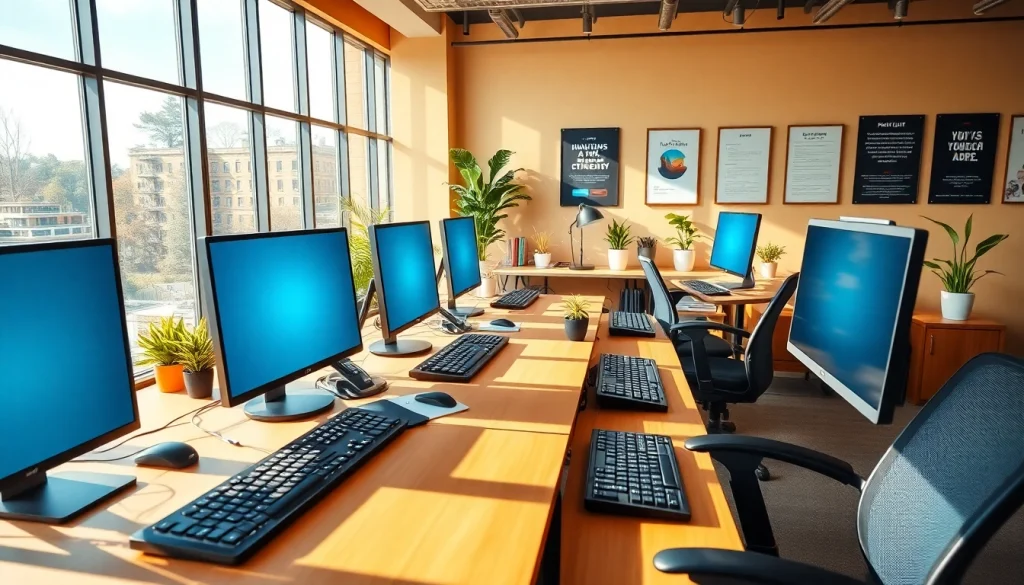
What is a Typing Center?
Definition and Purpose of a Typing Center
A typing center serves as a hub for individuals seeking to improve their typing skills, offering training and resources to enhance speed and accuracy. These centers provide a structured environment where users can learn and practice typing techniques, often with the support of instructors, specialized software, and ergonomic equipment. The primary purpose of a typing center is to elevate an individual’s typing competence, which is increasingly essential in today’s digital age, where communication and data entry significantly depend on keyboard skills.
Types of Typing Centers Available
Typing centers can be categorized based on various factors including target audience, training complexity, and service offerings. Here are some common types:
- Corporate Typing Centers: These centers focus on training employees within organizations to improve their typing skills for enhanced productivity and efficiency.
- Educational Typing Centers: Often attached to schools or universities, these facilities aim to provide students with the necessary skills for academic success and future employment.
- Public Typing Centers: Open to the general public, these centers provide resources for anyone looking to improve their typing skills, often at little or no cost.
- Online Typing Centers: Virtual platforms offering courses and resources for individuals to learn and practice typing from the comfort of their homes.
Benefits of Using a Typing Center
Utilizing a typing center presents numerous advantages. Firstly, users benefit from access to specialized training programs designed to address varying skill levels. Additionally, the structured environment fosters better focus and commitment, motivating individuals to improve their typing abilities. The availability of ergonomic equipment in these centers also reduces the risk of injury and enhances typing comfort. Moreover, learners can often receive personalized feedback from trained instructors, facilitating a more effective learning process. Ultimately, the collaborative atmosphere found in typing centers can encourage peer motivation and learning.
Essential Equipment for Typing Centers
Computers and Software Considerations
A typing center’s effectiveness largely hinges on the quality of its equipment and software. Computers should be equipped with updated operating systems and typing software that supports various learning styles. Popular typing programs often include lessons, exercises, and games tailored to improve typing efficiency. Centers need to ensure that all computers have an ergonomic design, including adjustable monitors and ample keyboard space to prevent strain during longer sessions.
Ergonomic Furniture and Its Importance
The need for ergonomic furniture in typing centers is paramount. Chairs should be adjustable, providing adequate lumbar support to prevent back strain, while desks must be at the right height to ensure users can type comfortably without straining their arms or necks. Additionally, using ergonomic keyboards and mice can significantly reduce the risk of repetitive strain injuries (RSIs), promoting long-term health and comfort for users. By prioritizing ergonomic design, typing centers contribute to an environment that supports prolonged focus and efficiency during training sessions.
Additional Accessories to Enhance Experience
In enhancing the typing experience, various accessories can provide added value. Noise-canceling headphones can help minimize distractions in shared spaces, enabling users to concentrate better. Keyboard covers or wrist rests can improve comfort and performance, while dedicated typing sticks or typing pads can assist in learning touch typing for beginners. Offering these additional resources can create a more enjoyable and effective training environment.
Typing Techniques to Improve Speed and Accuracy
Touch Typing: Learning the Basics
Touch typing is the foundational technique taught at typing centers, emphasizing the use of all fingers to type without looking at the keyboard. This skill significantly increases typing speed and reduces errors as muscle memory develops. Instruction typically includes home row positioning and finger placement, enabling learners to build their typing skills from the ground up. Regular practice and correct technique are crucial for mastering touch typing and achieving optimal typing performance.
Common Mistakes and How to Avoid Them
Even as learners progress, certain common mistakes can hamper typing performance. One prevalent error is incorrect finger placement; improperly positioning fingers can lead to slower speeds and increased errors. Another mistake is looking at the keyboard while typing, which disrupts muscle memory development. To counter these issues, instructors often recommend consistent practice and dedicated drills that focus on building typing speed while ensuring proper technique. Encouraging self-assessment through timed typing tests can also help individuals recognize and correct their mistakes effectively.
Tools for Practicing Typing Skills
Various online tools and applications offer users additional avenues for practicing typing skills outside the structured environment of a typing center. Websites such as typing.com or keybr.com provide engaging lessons, exercises, and feedback on typing performance. Users can also utilize typing games that foster a fun competition among peers, making practice less monotonous and more engaging. Incorporating these tools can enhance overall skill acquisition and maintain motivation to improve typing proficiency.
Setting Goals and Tracking Improvements
Establishing Personal Typing Goals
Establishing clear and achievable typing goals is vital for anyone looking to improve their skills. These goals should be realistic, taking into account the individual’s current competency level while aiming for measurable progress over time. For instance, a beginner might set a goal to reach a typing speed of 30 words per minute (WPM) within a month. Regularly setting short-term and long-term goals will provide direction and establish a sense of accomplishment as individuals see tangible improvements in speed and accuracy.
Utilizing Progress Tracking Tools
Tracking progress is crucial for maintaining motivation and recognizing success in typing training. Many typing software programs include built-in metrics for logging speed and accuracy over time. Additionally, progress tracking charts can help visualize improvements and highlight patterns in performance. Keeping this data allows learners to adjust their practice routines and focus on areas needing improvement, fostering an accountable and goal-oriented learning experience.
Benefits of Consistent Practice
Consistency is key in developing typing skills. Regular practice not only reinforces muscle memory but also increases confidence in typing capabilities. Daily or weekly practice schedules can help maintain discipline, ensuring that skills remain sharp even when not in a formal training setting. Additionally, identifying specific weaknesses and targeting them during practice sessions can lead to substantial improvement over time. Ultimately, consistent practice creates long-lasting advantages that extend beyond the typing center and into the professional and personal realms.
Future Trends in Typing Centers
The Impact of Technology on Typing Centers
As technology continues to evolve, typing centers must adapt to stay relevant. The integration of new software tools, such as advanced typing analysis programs that provide real-time feedback, can greatly enhance the learning experience. Virtual reality (VR) environments may also offer immersive training experiences that engage users more fully, making learning fun and experiential. Embracing technological advancements will ensure typing centers provide the most effective and enjoyable learning experiences possible.
Emerging Training Methods
New training methods are being developed to address the growing demand for typing proficiency. These include gamified learning, where typists engage in challenges and competitions, transforming practice into a more dynamic experience. Additionally, blended learning approaches that combine in-person instruction with online resources can cater to diverse learning preferences, allowing learners to progress at their own pace while still benefiting from expert guidance. By embracing these emerging trends, typing centers can attract a wider audience and offer more robust learning opportunities.
How to Stay Relevant in a Digital World
In a rapidly changing digital landscape, typing centers must continually evaluate their relevance and effectiveness. Maintaining an online presence through social media and dedicated websites can help reach potential learners. Furthermore, incorporating feedback from users to improve services ensures that centers evolve alongside the needs of the community. By fostering relationships with local businesses and educational institutions, typing centers can position themselves as vital resources for developing essential skills in an increasingly tech-driven world.